For home cooks
A recipe app that works while you cook. Let your existing AI assistant do the rest.
Built to help you actually cook recipes. Everything you need on screen and nothing else. Save, plan, and shop from the app or from Claude and ChatGPT.
The problem
You have been
here before.
You asked your AI assistant to plan the week. By Tuesday the plan is buried in Sunday’s chat, or pasted into a note you now have to find.
→Ask it to put the plan in Prep Slate instead. The week is on your Plan tab, every recipe is in your library, and Tuesday’s dinner opens in cook mode.
Step 3, hands wet, the screen goes dark.
→The screen stays lit start to finish. You never touch it with raw-chicken hands.
You check the ingredients, come back, and your place is gone.
→Prep Slate saves your place as you go. Switch tabs, reload, lock the phone, and you are still on step 4.
Double the recipe and the app asks for 0.66 of an egg.
→Scaling rounds to what a kitchen uses: 3 eggs, ¾ cup.
Two hundred recipes saved, and the one you want is somewhere in folder seven.
→Search every ingredient and note, not just titles. Type "chicken," cook in ten seconds.
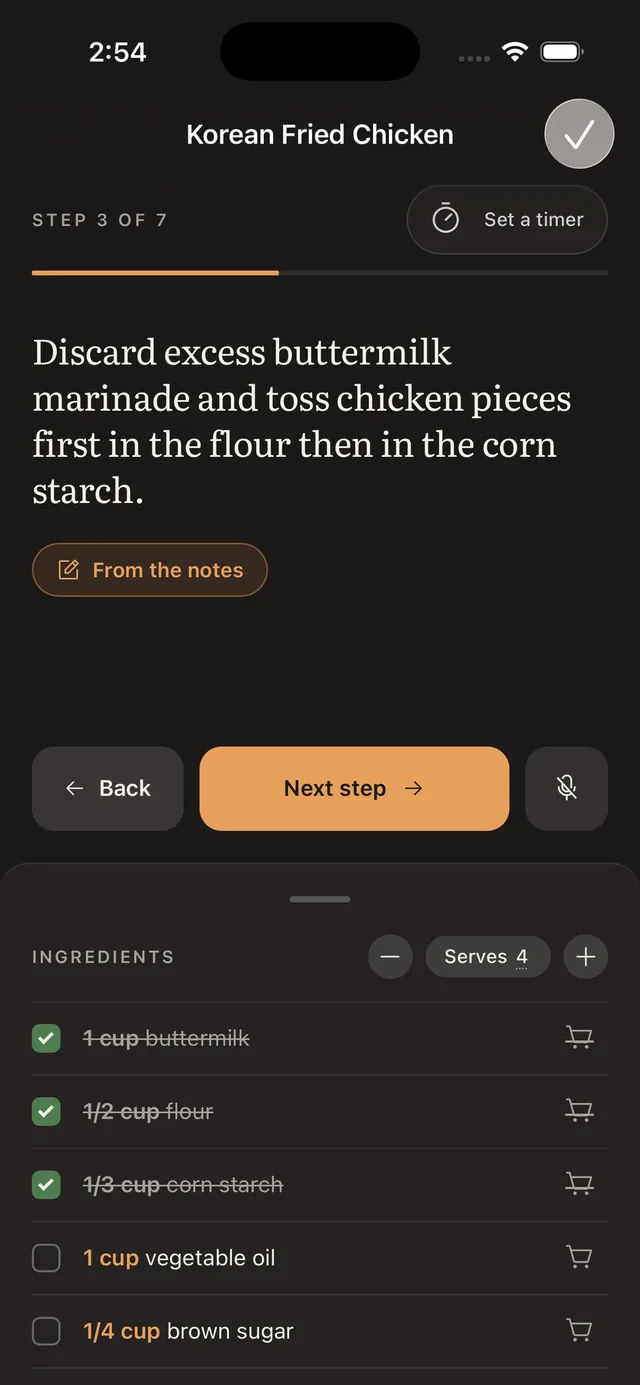
Cook mode
Cook mode came first. The rest of the app grew around it.
Every decision on this screen answers something that goes wrong when your hands are full.
- The screen never sleeps
- A wake lock holds it lit from the first step to the last. You never wake a dark phone with a knuckle.
- Ingredients follow the step
- Advance, and the ingredient that step calls for rises to the top of the list and lights up. You stop scrolling a twenty-line list with a knife in your hand.
- Your place lives on the server
- Lock the phone, reload the tab, carry on from the iPad. You are still on step 4, with the same things crossed off.
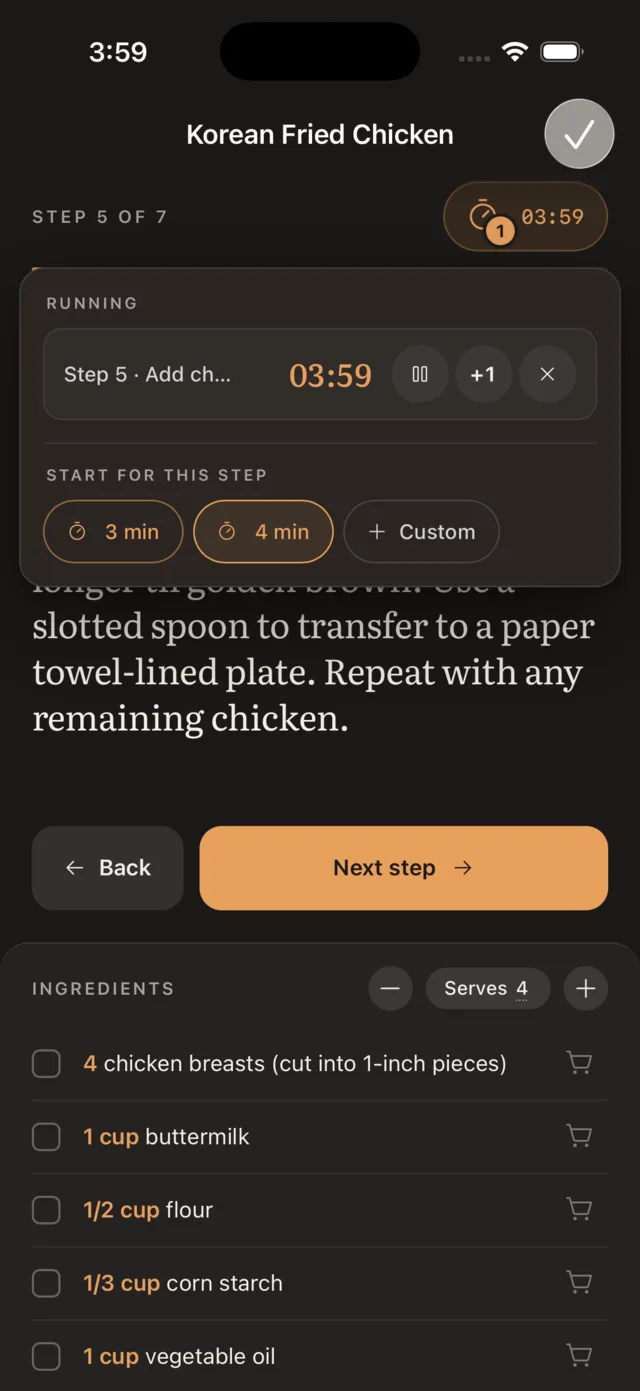
- Timers keep counting
- One per step, still running when you switch tabs, and on the Lock Screen and Dynamic Island on iPhone.
- It listens when you ask it to
- Tap the microphone in the iPhone app and “Hey Prep, next” moves the step on. Back, a timer on the step you are on, and quiet when it goes off, all without wiping your hands first.
Everything else works from the app, or from your assistant.
Save, find, plan, and shop in Prep Slate, or say it to Claude, ChatGPT, Perplexity, or anything else that takes a connector. It is the same library, the same plan, and the same list either way. One connection, which you can pull back any time, and the assistant never sees your account or billing.
Your assistant stays out of the kitchen. Over the connection, cook mode is read only: it can see what you cooked and how long it took, but it cannot start a session or move you to step four.
ChatGPT or Claude on Sunday
Plan next week’s dinners. I’m out Thursday.
Here’s next week:
 UsingPrep Slate
Add these to your plan?
Tuesday, 6:15
In their words.
From the App Store, quoted as written.
“Trying to cook using recipes from online was getting frustrating and annoying. Ads, jumping screens, and my phone turning off were making me avoid trying new recipes. Prep Slate changed that for me! It is so easy to upload a recipe and cook now. The app is so easy to use and makes following a recipe a breeze. I have caught myself trying more recipes than I ever have! I also really appreciate that you can increase the serving size without trying to work out the conversions. This app is 100% worth a try!”
Hannah NApp Store, August 2026
“This app has been so helpful! I am typically a Pinterest user all the way for recipes, but after using this app and seeing how streamlined it can be to have your recipe on your device, I’m ready to make the switch! No more annoying videos popping up while you cook. No more scrolling through endless words and pages just to get to your recipe - it’s all there with step by step instructions. Can’t recommend it enough!”
Erin KApp Store, September 2026
“It’s so worth it to have all your recipes in one place. You’re saving yourself a headache later when you can’t remember if you saved that recipe you used a year ago on Pinterest or in your notes app or as a screenshot?? The interface is super user-friendly too and has some pretty cool features. Whether you’re a novice cook or an expert, this app could become your new best friend!”
Tori LApp Store, September 2026
“This is a lifesaver. It makes everything so simple and just does the things I need it to do.”
Josh MApp Store, August 2026
A note from
the maker
I am a home cook, not a chef, and I have written software for a living for fifteen years. Prep Slate is where the two finally met.
I've used multiple recipe apps over the years. They all do very similar things: save recipes, hold a meal plan, shop for ingredients in those recipes. But I still struggled at the most important part: actually making the recipe.
So I built the tool I wanted while cooking, and I built it the way I build everything, slowly enough to get it right. Six months of nights and weekends later, I have an app I want to use every time I make food. A focused cook mode, a connection to Claude and ChatGPT for automating meal planning, kitchen math that rounds the way a cook does, and an export that works the day you leave.
I care about good food and good software for the same reason. Both come down to a lot of small decisions nobody notices until one is wrong. If Prep Slate earns a place next to your stove, it has done its job.
Mark
Home cook and software developer. Maker of Prep Slate.
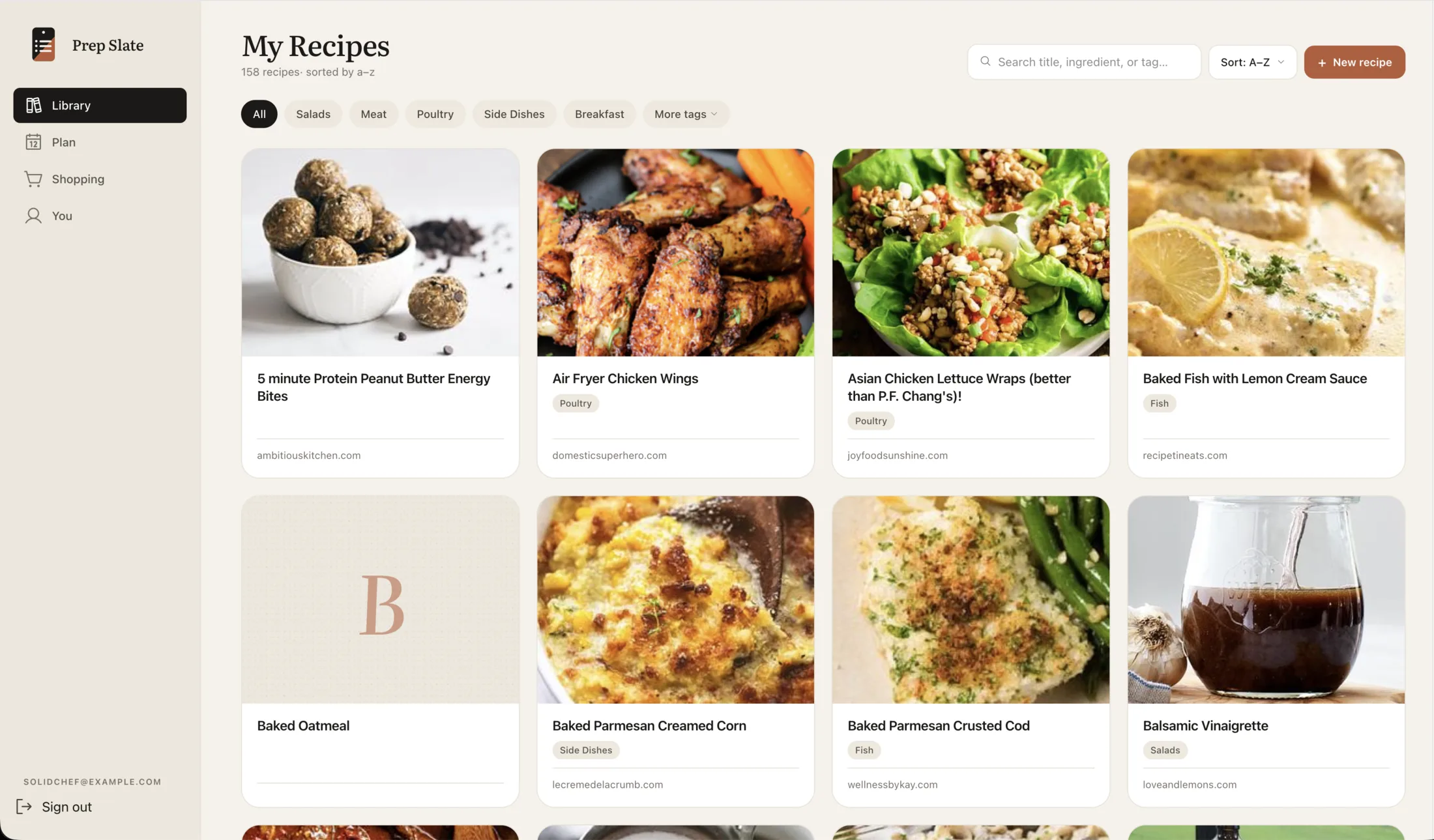
A library that scales
Past 50 saves, every folder app turns into a graveyard.
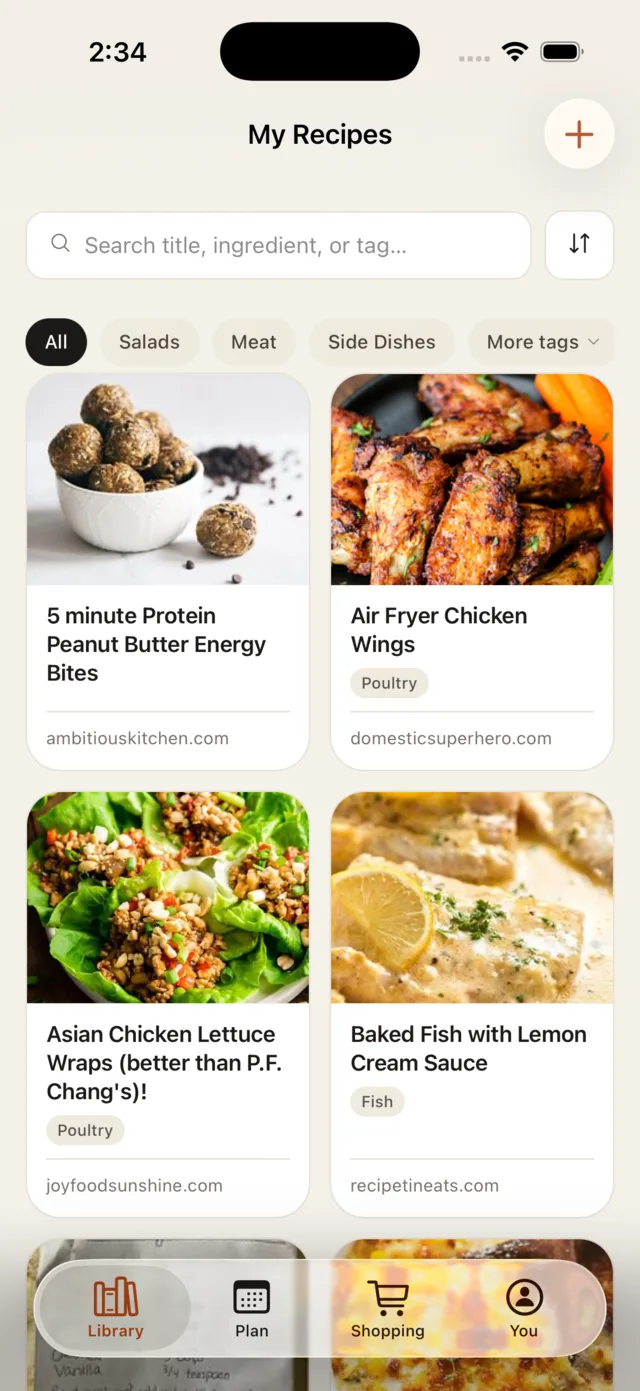
Bring recipes in from any site, or from a photo of a cookbook page. Prep Slate tags each recipe on import. Search reaches ingredients, tags, and notes.
See how the library holds up →
Or just ask
“Go through my Prep Slate library and tell me what I’ve never cooked, what I haven’t touched in a year, and what I keep coming back to. Then tag them properly so I can find things again.”
Plan
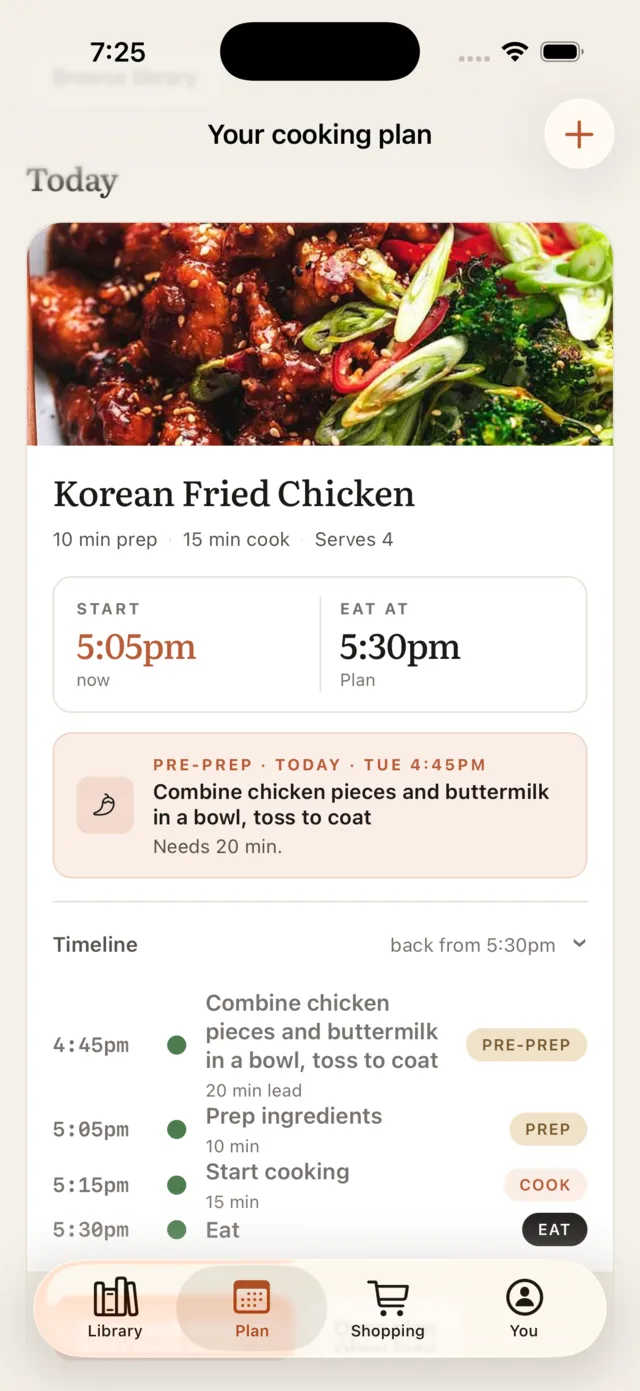
The plan works backward from dinner.
Tell it when you want to eat. It walks the timeline back: pre-prep at 4:45, prep everything else at 5:05, on the stove at 5:15.
Or just ask
“Look at my calendar this week and find the nights I’m actually home with time to cook. Plan dinners from my Prep Slate library to match — quick ones on the tight nights, something slower where there’s room.”
Shop
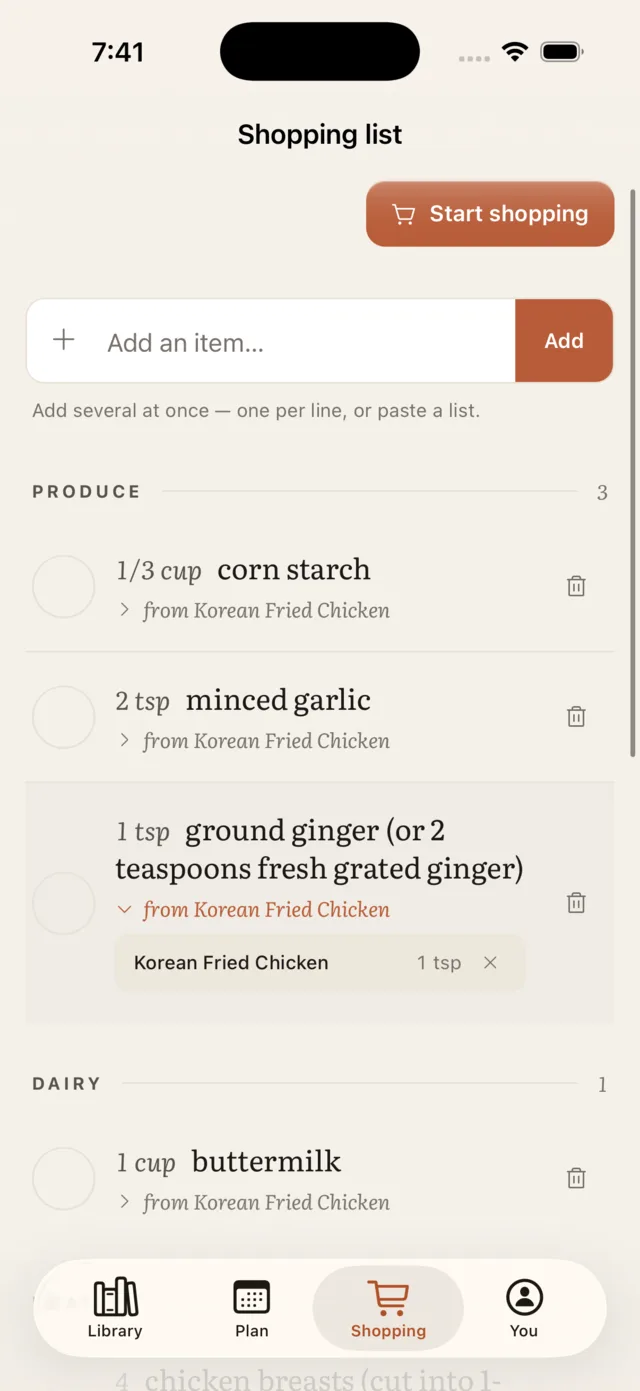
The shopping list adds itself up.
Push a recipe to the list and every ingredient merges in, totaled and deduplicated. Two onions become one line, sorted into the aisle where you will find it. Each line shows which recipes it came from. Check off as you walk the store.
See the shopping list in motion →
Or just ask
“Add everything I’ve got planned this week to my Prep Slate shopping list, then tell me which items only one dinner needs. If something’s only there for a single meal, I’d rather swap the meal than buy it.”
At the desk, too
The Prep Slate promise
Built to last. Yours to keep.
Exportable any time, even after you cancel.
Take it all with you
Download your whole library as one open file (JSON).
Print any recipe
Every recipe prints clean, or saves as a PDF. Counter-ready, no app chrome.
No lock-in
Cancel and your library stays readable.
- A real iPhone app
- On the App Store, with per-step timers on the Lock Screen and Dynamic Island, and “Hey Prep” when your hands are full.
- Connect to your existing AI assistant
- Claude and ChatGPT reach your library over an open standard, through one grant you can pull back any time. They never see your account or billing.
- Import that keeps its shape
- From any site, or a photo of a cookbook page. Prep Slate parses amounts, units, and sections on the way in.
- Nothing between you and the recipe
- No ads inside a recipe. No social feed. No upsells mid-sear.